Workflow templates
Visual automations you can drop in and customize. Triggered by schedule, webhook, or your app - connected to AI, your database, email, Slack, and more.
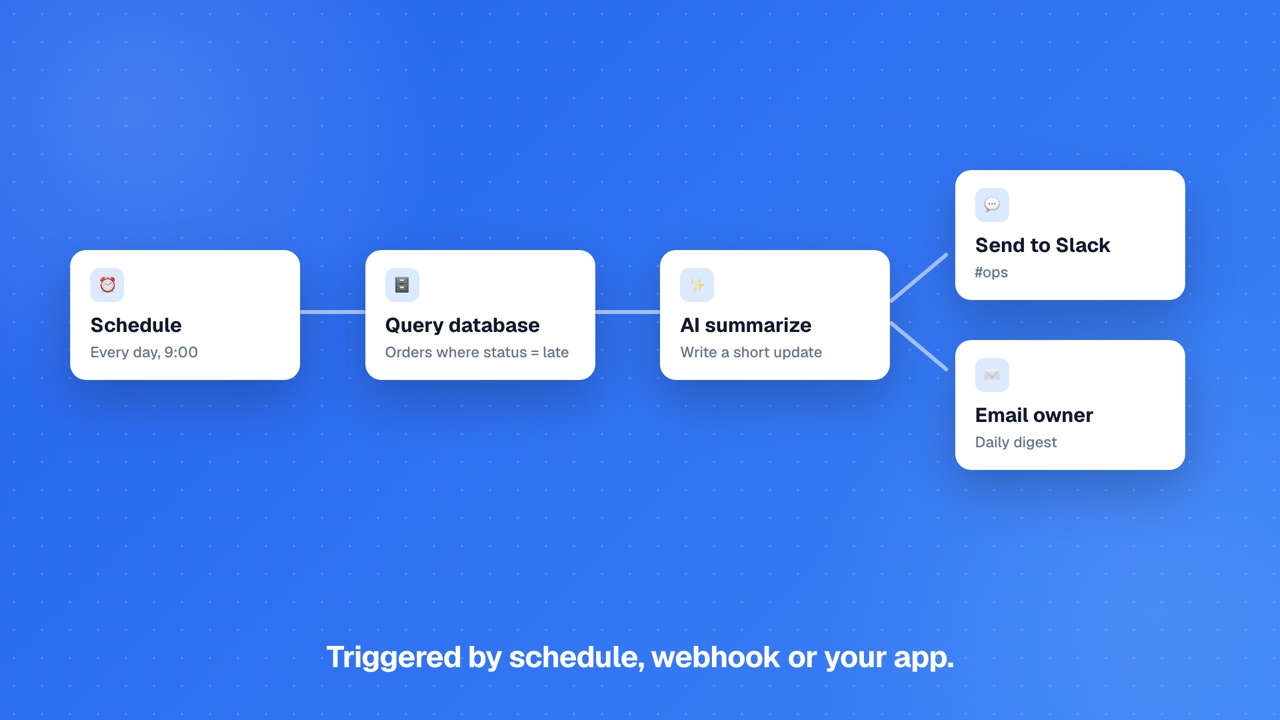
Summarise something and post it to Slack
Take in a chunk of text (form submit, webhook, signup), let AI summarise it, send the summary to a Slack channel.
Check a website is up, email me if it's down
Ping a website on a schedule and send yourself an email the moment it stops responding.
Save form submissions to a Google Sheet
When someone submits a form, add a new row to a Google Sheet with their details.
Send yourself a daily database report
Run a query against your database every morning and email the results to yourself.
Sort incoming messages with AI
Receive a message (form, email, webhook), let AI tag it, then route it to the right action based on the tag.
Send a weekly digest of new Airtable records
Every Monday, pull this week's new records from Airtable and email a digest summary.
Stripe payment → fulfillment
When a Stripe payment succeeds: persist the order, email the customer, notify the fulfillment Slack channel.
Abandoned cart recovery (3-step)
Cart left at checkout. Recovery emails at +2h, +24h, +72h. Stops if the customer completes checkout.
Daily sales digest
Every morning: yesterday's orders, revenue, top products, summarised by AI and posted to Slack + email.
Low stock alert
Every hour: scan inventory for products below threshold. Slack alert listing low-stock items.
Subscription renewal failed
Stripe reports a recurring payment failure: email the customer with retry link, Slack billing team, mark past_due.
Lead → CRM + Slack
Form submission lands. Save the lead, ping the sales channel on Slack.
Document → RAG index
Uploaded doc → Document AI parse → embed → semantic-search index. The backbone of an AI Q&A app.
Post-deploy error alert
Runtime error in first 10min after deploy → Slack alert.
Invoice paid -> thank-you + CRM + accounting sync
When a Stripe payment lands for an invoice, send a thank-you email, log a CRM activity, and sync to QuickBooks/Xero.
New signup -> welcome drip
Save signup as a CRM contact and enroll them in a 3-step welcome sequence.
Quote accepted -> create invoice + send
Generate an invoice from an accepted quote, email it, notify sales.
No-show booking -> reminder + reschedule
Polite reschedule email, CRM activity, provider notification when a booking is marked no-show.
Churn risk flagged -> save sequence
High-risk subscriber enters a save sequence; CSM is alerted in Slack.