Database & Schema
Browse and edit your app's data, design schemas visually, and choose between Firestore and PostgreSQL for your storage needs.
Database Browser
The Database Browser lets you view, edit, and delete records directly in the app editor. Inspect your app's data without leaving GenMB, no external database tools needed.
Open the Database Browser
Browse collections and tables
Filter and sort records
Edit records inline
Delete records safely
Schema Designer
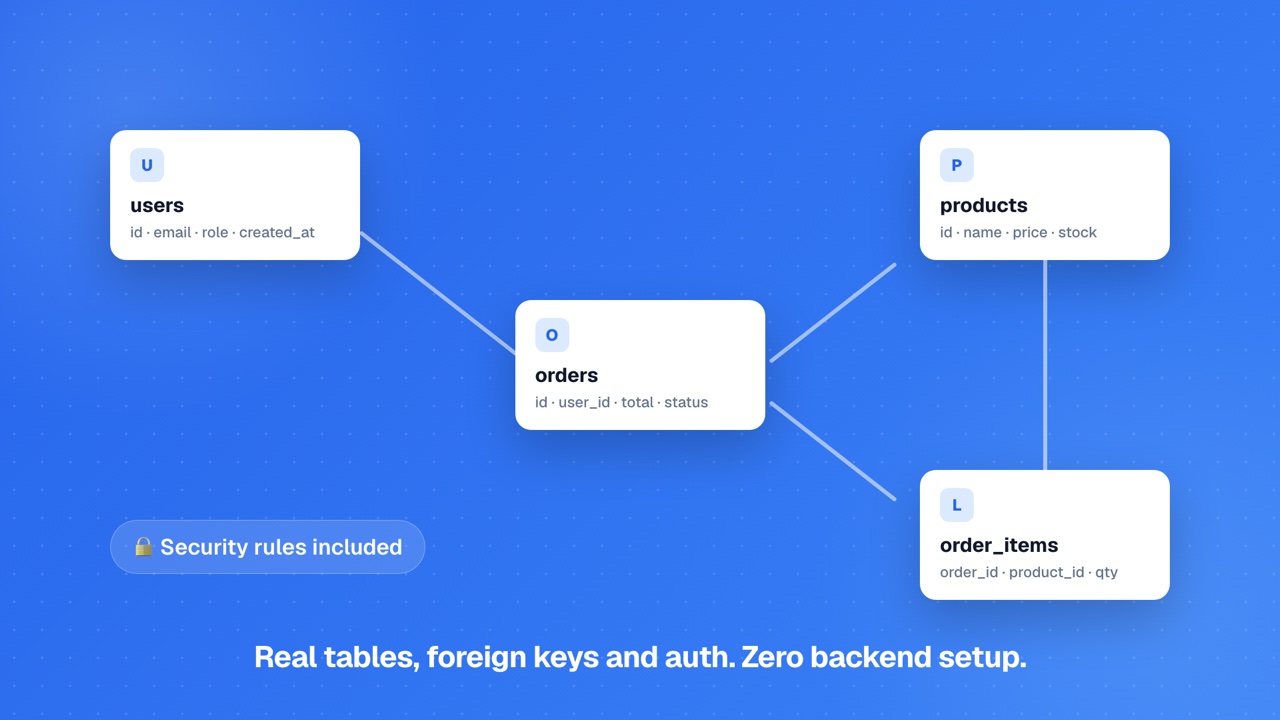
The Schema Designer is a visual table editor for defining your database structure. Create tables, add columns with types, and define relationships between tables, all through a graphical interface.
Open the Schema Designer
Create tables and columns
Define relationships
Auto-provisioning
DataConnect Provisioning
When you define a schema in Schema Designer, GenMB automatically provisions a PostgreSQL database via DataConnect. This happens behind the scenes, you do not need to configure any database connection settings.Schema Designer is a Pro feature. Free plan users can use the Database Browser for manual data management.
Firestore vs PostgreSQL
GenMB supports two database backends depending on your data needs. Choose the right one based on your app's requirements.
Firestore (NoSQL)
A NoSQL document database. Best for simple key-value data, user profiles, settings, and content. No schema required. Available on all plans.
PostgreSQL via DataConnect
A relational database with full SQL support. Best for structured data with relationships, joins, and complex queries. Provisioned automatically when you use Schema Designer.
Firestore is the default for generated apps. The AI uses Firestore collections when your app needs data storage. PostgreSQL is a Pro feature, provisioned when you define a schema in Schema Designer. The AI does not auto-provision PostgreSQL - you opt into relational storage explicitly.
Data Types
Both Firestore and PostgreSQL support a variety of data types for your columns and fields.
| Type | Description |
|---|---|
| String | Text values of any length. Used for names, descriptions, URLs, and general text. |
| Number | Integer or floating-point numeric values. Used for quantities, prices, and counts. |
| Boolean | True or false values. Used for flags, toggles, and status fields. |
| Timestamp | Date and time values with timezone support. Used for created/updated dates and scheduling. |
| Array | Ordered lists of values. Used for tags, categories, and multi-value fields (Firestore only). |
| Map/JSON | Nested key-value objects. Used for structured metadata and configuration (Firestore only). |
Provisioning Lifecycle
When you define a schema, GenMB provisions a PostgreSQL database via DataConnect. Each schema moves through a small state machine you can see in the Schema panel.
| pending | Schema saved but tables not yet created. The first SDK request automatically triggers provisioning in production. |
| provisioning | CREATE TABLE statements are running against the app's managed Postgres database (a dedicated Neon project for new apps, or the legacy shared instance for older apps). Typically completes in seconds. |
| provisioned | Tables exist and the SDK can read and write. This is the expected steady state. |
| failed | Provisioning hit an error (invalid type, name collision, etc.). Reprovision from the Schema panel after fixing the issue. |
genmb_apps_{appId}_{tableName}. You never need to write this out yourself; the Data Client SDK handles namespacing.Rate Limits
DataConnect applies per-app rate limits to keep the managed PostgreSQL layer fair. Limits are Redis-backed in production with an in-memory fallback for local dev.
| Reads per minute | 100 per app |
| Writes per minute | 30 per app |
| Max query rows | 500 per call |
| Query types | SELECT and WITH only - DDL and arbitrary statements rejected |
| Parameterized SQL | Required - placeholders ($1, $2) only; user input is never interpolated into the query body |
Tips
Make the most of GenMB's database features with these recommendations.
Quick Data Inspection
Use the Database Browser for quick data inspection, it is faster than writing queries or using external tools.Data Insights
Use Data Insights (Pro) to query your data with natural language if you need analytics or reports without writing SQL.FAQs
Do I need to set up a database manually?▾
Is the Database Browser available on Free plans?▾
Can I use SQL with my GenMB app?▾
What happens to my data if I delete my app?▾
Ready to build?
Create your first app for free, no credit card required.